Is Microsoft Teams Encrypted? No E2EE for Chat (2026)
TL;DR
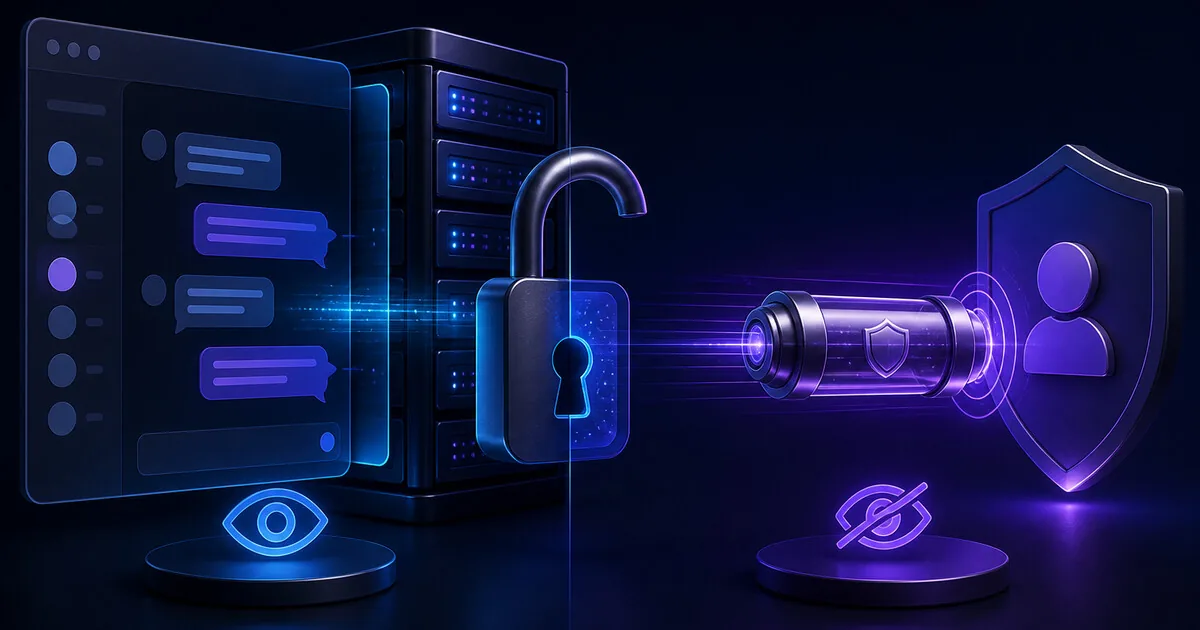
Microsoft Teams is encrypted in transit (TLS) and at rest, but Teams chat is not end-to-end encrypted. E2EE is optional and limited to one-to-one VoIP call media and scheduled meetings configured to require it (Teams Premium) — not chat, files, group calls, or channel meetings per Microsoft Learn. Customer Key is not E2EE. Do not paste passwords into Teams; use a zero-knowledge one-time link like VanishingVault.
Third-party guides often blur “Teams is encrypted” with “Teams chat is E2EE.” This page follows Microsoft's supported modalities table. Related: is Slack encrypted? · how to share passwords securely · send a password as a one-time link · best one-time secret sharing tools · zero-knowledge encryption.
Is Microsoft Teams End-to-End Encrypted?
No — not for chat or most Teams features. Microsoft Teams applies standard encryption (transit + at rest) to all communications by default. End-to-end encryption is an additional, opt-in layer available only for specific media modalities — not for everyday chat messages.
Per Encryption for Teams, E2EE keys are generated on user devices and exchanged over a secure signaling session for eligible one-to-one calls and configured meetings. Chat, shared files, group calls, channel meetings, recordings, transcripts, and meeting recap remain on standard encryption only.
How Does Microsoft Teams Encrypt Data?
Standard encryption (default)
All Teams data — chat, files, calls, meetings — is encrypted in transit using TLS and at rest in Microsoft's cloud. Microsoft holds the keys and decrypts server-side for search, Copilot, compliance, retention, and product features. This is the encryption most users actually have.
Optional E2EE (limited scope)
E2EE protects real-time media in eligible one-to-one VoIP calls (when admin policy and both users enable it) and scheduled meetings configured to require E2EE (Teams Premium). Microsoft documents that chat and file sharing during an E2EE call still use standard encryption — not E2EE.
Which Teams Features Support E2EE vs Standard Encryption?
Microsoft publishes a supported modalities table. The first sentence answer: chat messages and shared files never get E2EE — only select call and meeting media can.
| Modality | Standard encryption | E2EE available |
|---|---|---|
| One-to-one VoIP calls | Yes | Yes (admin + both users enable; not PSTN) |
| Scheduled meetings | Yes | Yes (organizer requires E2EE; Teams Premium) |
| Video / screen sharing in E2EE calls & meetings | Yes | Yes |
| Group calls | Yes | No |
| Channel meetings | Yes | No |
| Chat messages | Yes | No |
| Shared files | Yes | No |
| Meeting recordings | Yes | No |
| Meeting transcripts | Yes | No |
Source: Encryption for Teams — Supported modalities. E2EE for one-to-one calls: Use end-to-end encryption for one-to-one Teams calls. E2EE meetings: Require end-to-end encryption for sensitive Teams meetings.
Is Teams Customer Key End-to-End Encryption?
No.Microsoft 365 Customer Key and related customer-held key offerings let you control encryption keys for data at rest in Microsoft's services. That is envelope-style key custody — similar to Slack Enterprise Key Management — not end-to-end encryption where only conversation participants hold keys.
Microsoft's runtime still decrypts Teams content for search, eDiscovery, Data Loss Prevention, Copilot, and normal product operation. Customer Key improves audit, compliance, and revocation over at-rest blobs; it does not make Teams chat provider-blind. If your requirement is “Microsoft cannot read this message,” you need client-side encryption outside Teams — not Customer Key alone.
| Capability | Default Teams | Teams + Customer Key | True E2E / zero-knowledge |
|---|---|---|---|
| Encrypts in transit & at rest | Yes | Yes | Yes |
| Customer-held keys for at-rest data | No | Yes | N/A — keys on devices |
| Vendor can read plaintext at runtime | Yes | Yes | No |
| Chat messages E2EE | No | No | Yes (in E2E chat apps) |
| Safe for one-time password sharing | No | No | Yes |
What Does “Not E2EE for Chat” Mean in Practice?
Standard encryption protects data on the wire and on disk — it does not stop Microsoft, compliant admins, or valid legal process from accessing message content when the service decrypts server-side.
Microsoft can decrypt
Teams must obtain plaintext for search, Copilot, threading, apps, and compliance exports. Credentials pasted into chat become durable, discoverable risk.
Admin & eDiscovery
Tenant admins with appropriate roles can apply retention, DLP, and eDiscovery holds. Do not treat Teams DMs as private from your employer.
Retention & blast radius
Messages and files persist per tenant retention policies. One compromised account can expose every credential ever pasted into accessible channels.
Teams vs Slack vs One-Time Secret Link: Which Fits?
Teams and Slack are collaboration platforms with standard encryption — not credential vaults. For passwords and API keys, use a one-time zero-knowledge link instead.
| Approach | Best for | Honest limit |
|---|---|---|
| Microsoft Teams (standard encryption; optional E2EE for call media) | Enterprise chat, meetings, files, and Microsoft 365 integration | Chat not E2EE — Microsoft and admins can read content; pasted credentials persist in searchable history |
| Slack (in transit + at rest; optional EKM) | Team collaboration, search, bots, and integrations | Not E2EE — Slack and admins can read content; same credential-paste risk as Teams |
| One-time secret link (VanishingVault) | Passwords, API keys, and credentials shared once then destroyed | Not a chat app — bearer URL; text secrets only; no team messaging or search |
Slack deep dive: is Slack encrypted?. Credential workflow: how to share passwords securely.
Can Teams Link Previews Burn a One-Time Secret?
Yes. Teams fetches URLs to build link previews (unfurls), similar to Slack and many email clients. If that automated GET triggers burn-after-read, the secret is destroyed before your recipient clicks — often with no clear error for either party.
What to do:use tools with an explicit Reveal step so the first fetch loads a landing page, not the secret. Post “credentials coming separately” in the unfurling channel and paste the full URL in SMS, a phone call, or a channel that does not preview links. Full workflow: send a password as a one-time link.
When Should You Use Something Other Than Teams for Secrets?
Teams is a collaboration hub, not a security tool. If you are doing any of the following in Teams chat, you are creating durable risk:
- Sharing passwords or credentials — messages persist and are searchable under retention and eDiscovery policies.
- Sending API keys or tokens — a single compromised account exposes every secret ever pasted into accessible channels.
- Assuming E2EE because a call was encrypted — call media may be E2EE; chat in the same session is not.
- Relying on Customer Key for chat privacy — key custody ≠ E2EE; Microsoft still decrypts for product features.
For these use cases, VanishingVault encrypts in your browser with AES-256-GCM, keeps the key in the URL fragment, and deletes ciphertext after one view. See how we built zero-knowledge secret sharing on Cloudflare and best one-time secret sharing tools.
How Can You Harden Teams If You Keep Using It?
- Enforce MFA for every member — account takeover is the fastest path to reading history.
- Apply retention and DLP policies so messages and files expire on a schedule your compliance team accepts.
- Audit apps and connectors — third-party integrations expand who can read channels and files.
- Ban credentials in chat — passwords, API keys, and recovery codes belong in a one-time encrypted link (send password one-time link).
- Enable E2EE only for the right reason — protecting call media from server-side access, not as a substitute for secure credential handoffs.
Frequently Asked Questions
Is Microsoft Teams encrypted end-to-end?
No — not for chat. Microsoft Teams encrypts all data in transit (TLS) and at rest, but end-to-end encryption (E2EE) is optional and limited to one-to-one VoIP call media (audio, video, screen sharing) when both users enable it, and to scheduled meetings explicitly configured to require E2EE (Teams Premium). Chat messages, shared files, group calls, channel meetings, recordings, and transcripts do not support E2EE per Microsoft’s supported modalities table.
Is Microsoft Teams chat end-to-end encrypted?
No. Microsoft documents that chat messages receive standard encryption (transit + at rest) but E2EE is not available for chat. Even during an E2EE one-to-one call, Microsoft states that chat, file sharing, and presence in that call remain protected by standard encryption — not E2EE. Do not paste passwords into Teams chat.
Are Teams calls and meetings end-to-end encrypted?
Only in specific configurations. One-to-one VoIP calls can use E2EE when an admin enables the policy and both participants turn it on in client settings — media only, not PSTN calls. Scheduled meetings can require E2EE when the organizer configures it (Teams Premium). Group calls, channel meetings, and PSTN legs do not support E2EE.
Is Microsoft Teams Customer Key the same as end-to-end encryption?
No. Customer Key (and Double Key Encryption in Microsoft 365) lets you hold encryption keys for data at rest in Microsoft’s cloud — similar in spirit to Slack EKM. Microsoft’s services still decrypt content at runtime for search, compliance, AI features, and product operation. Customer Key strengthens key custody and audit; it does not make Teams chat end-to-end encrypted or provider-blind.
Can Microsoft or my IT admin read Teams messages?
Yes, in the standard model. Teams is designed for collaboration with server-side access to content for search, eDiscovery, retention, DLP, and Copilot. Admins with appropriate roles can export or access content subject to your tenant policies. Treat Teams chat as durable, exportable history — not a credential vault.
Is Teams more secure than email for sharing passwords?
Neither is appropriate for passwords. Both retain searchable copies and neither offers E2EE for message bodies in the typical workflow. For one-time credentials, use a zero-knowledge one-time link like VanishingVault that encrypts in the browser and destroys the ciphertext after one view.
Does Teams E2EE protect chat during an encrypted call?
No. Microsoft’s E2EE documentation for one-to-one calls states that only real-time media (audio, video, screen sharing) is end-to-end encrypted when E2EE is enabled. Chat, file sharing, and presence during that call use standard encryption — meaning Microsoft’s infrastructure is in the decrypt path for those features.
Should I paste a one-time secret link into Teams?
Better than pasting the password — after burn-after-read the chat keeps a dead URL. Watch link unfurls: Teams may fetch the URL for a preview and burn a one-view secret before your recipient clicks. Prefer an explicit Reveal step, or send the full URL out-of-band (SMS, call, separate channel). See send a password as a one-time link.
How should I share credentials instead of Teams chat?
Use a zero-knowledge one-time secret tool. Encrypt in the browser with AES-256-GCM, keep the key in the URL fragment, share the link once, and let the ciphertext burn after a single view. For ongoing team access, use a password manager vault share — not Teams or email.
How does Teams encryption compare to Slack?
Both encrypt in transit and at rest by default; neither is E2EE for everyday chat. Slack offers optional Enterprise Key Management (also not E2EE). Teams offers optional E2EE for 1:1 call media and Premium scheduled meeting media, but chat remains standard encryption on both platforms. For credentials, both fail the same test: pasted secrets persist in searchable history.
Share secrets securely with VanishingVault
Stop pasting passwords in Teams. VanishingVault encrypts everything in your browser, shares it via a one-time link, and destroys it after viewing. Zero knowledge. Zero logs.
Try VanishingVault Free