URL Fragment Encryption Keys Explained (RFC 9110 & Zero-Knowledge)
TL;DR
Zero-knowledge secret links put the decryption key after # because RFC 9110 excludes URL fragments from HTTP requests — the browser keeps #k=... locally; the server only stores ciphertext it cannot read. That solves provider trust, not link theft: the full URL is a bearer secret, and referrers or analytics can leak fragments if misconfigured. Prefer Referrer-Policy: no-referrer. Tools like VanishingVault use this pattern by default.
Related: why zero-knowledge should be the default · how we built ZK secret sharing on Cloudflare · send a password as a one-time link · what is zero-knowledge encryption?.
Why Do Zero-Knowledge Tools Put the Key After #?
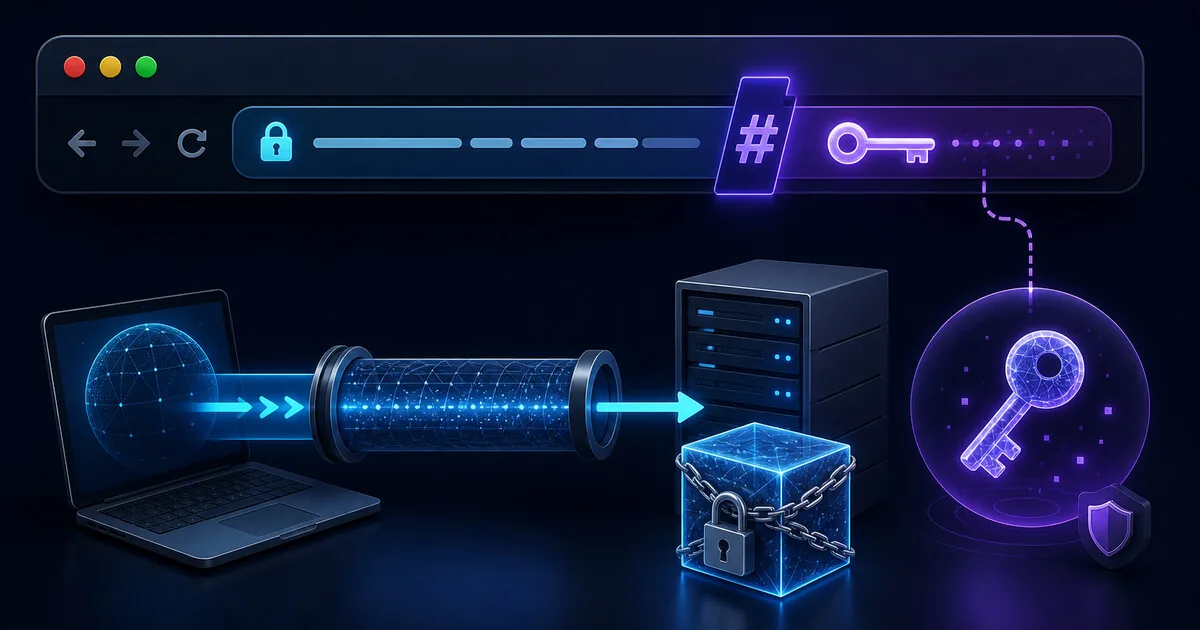
The goal is simple: the server should courier ciphertext, not read secrets. If you encrypt in the browser with AES-256-GCM and upload only the encrypted blob, you still need a way to get the key to the recipient without giving it to the host. The URL fragment — everything after # — is the standard answer because HTTP was designed that way.
A typical share URL looks like:
https://example.com/s/abc123#k=BASE64_AES_KEY
- Path (
/s/abc123) — sent to the server; identifies which ciphertext blob to fetch. - Fragment (
#k=...) — stays in the browser; never included in the HTTP request.
The recipient's browser parses the fragment, downloads ciphertext via the path, and decrypts locally with the Web Crypto API. The operator never sees plaintext or a usable key — which is what “zero-knowledge” means in this product category.
What Does RFC 9110 Say About URL Fragments?
URL fragments are not sent in HTTP requests. RFC 9110 (HTTP Semantics, the current HTTP spec) preserves the long-standing rule: the fragment identifier and its leading # are processed entirely on the client. When your browser requests GET /s/abc123, the server never receives #k=BASE64_AES_KEY — not in the request line, not in headers, not in query strings.
That behavior is why fragment keys work for zero-knowledge design:
- Encrypt locally → upload ciphertext only.
- Append key after # → browser holds key; server request omits it.
- Recipient opens link → same browser-side decrypt path.
- Server database dump → blobs without keys.
You can verify this yourself: open DevTools → Network, load a secret link, and inspect the retrieve request. The URL in the request stops before #. Proxies, load balancers, and origin access logs see the same truncated URL.
What the server receives
GET /s/abc123 HTTP/1.1
Path + headers only. Ciphertext ID for lookup. No fragment, no key, no plaintext.
What stays in the browser
#k=BASE64_AES_KEY
Parsed from window.location.hash. Used locally for Web Crypto decrypt. Never uploaded unless the page explicitly sends it (a bug — not part of the HTTP model).
Is a Fragment Key Safe Per HTTP?
Yes for the server-trust problem HTTP was designed to solve. The fragment mechanism gives you a client-only channel without a second round trip. That is why VanishingVault, scrt.link, Bitwarden Send, and other client-side tools use it.
No for every threat. HTTP fragment rules do not make the link magic. The full URL — path plus fragment — is still one bearer credential. HTTP also does not stop you from accidentally leaking the fragment through other channels.
| Threat | Fragment key helps? | Honest limit |
|---|---|---|
| Provider / host reads secrets | Yes | Server never gets key — ZK by architecture |
| Stolen database (ciphertext only) | Yes | Blobs unreadable without fragment keys users hold |
| Insider with server access | Yes | No decrypt path on server if crypto is honest client-side |
| Leaked / forwarded full URL | No | Bearer URL — first opener wins; confirm recipient OOB |
| Referrer leaks to third site | Partial | Misconfigured Referrer-Policy can send full URL including # |
| Analytics / tag managers logging page URL | Partial | Third-party JS can read location.href including fragment |
| Compromised or malicious front-end JS | No | You trust the page that runs crypto — supply-chain risk remains |
Can Referrers or Analytics Leak the Fragment?
The fragment is not sent to your origin — but other leakage paths exist:
- Referer header: If a page with
Referrer-Policy: unsafe-url(or legacy defaults) links out, the destination may receive the full URL including#k=.... PreferReferrer-Policy: no-referrerorstrict-origin-when-cross-originon secret-sharing pages. - Third-party analytics: Scripts that log
window.location.hrefcan capture the fragment client-side and exfiltrate it — HTTP rules do not protect against JavaScript you load on the page. - Browser extensions: Any extension with page access can read the hash. Enterprise deployments should document this for high-sensitivity handoffs.
- Shared clipboards and chat logs: Pasting the full URL into Slack, email, or ticket systems stores path and fragment together in searchable history.
We are not citing a specific breach headline here — this is a known class of misconfiguration risk. Hardening pattern: strict Referrer-Policy, minimal third-party tags on create/reveal pages, and treat the URL like a password. See our Cloudflare architecture post for production Referrer-Policy notes.
Do
- • Set Referrer-Policy: no-referrer on reveal pages
- • Share the full URL only with the intended recipient
- • Confirm receipt on a separate channel
- • Use tools with an explicit Reveal step (anti-unfurl)
Avoid
- • Loading heavy ad/analytics stacks on secret pages
- • Embedding secret links in public wikis or forums
- • Assuming HTTPS alone hides the fragment from third parties
- • Splitting path and fragment across untrusted channels without reason
Fragment Keys vs Server-Side Encryption — Which Fits?
| Approach | Best for | Honest limit |
|---|---|---|
| Client-side ZK + fragment key (VanishingVault, scrt.link) | High-sensitivity credentials when you want the host blind to plaintext | Bearer URL; browser-trust; fragment can leak via referrers/analytics if misconfigured |
| Server-side encryption (OneTimeSecret, typical Password Pusher) | Low–moderate sensitivity when you trust the operator or self-host | Host processes plaintext at create/view — not zero-knowledge |
| Password manager Send (client-side, optional access password) | Teams already on Bitwarden; extra passphrase on a second channel | Sender needs an account; heavier UX for one-off guest handoffs |
For why ZK should be the default for one-time handoffs, read why zero-knowledge architecture should be the default. For OTS specifically, see VanishingVault vs OneTimeSecret.
How Does the Fragment Key Flow Work Step by Step?
Browser generates AES-256-GCM key
Web Crypto creates a random symmetric key in the sender’s browser — never sent to the server.
Encrypt locally, upload ciphertext only
Plaintext is encrypted; only ciphertext + IV + opaque ID reach the API. Server stores an unreadable blob.
Append key after # in the share URL
The UI builds https://host/s/{id}#k={key}. RFC 9110 ensures #k= never appears in HTTP requests to the host.
Recipient browser decrypts locally
JavaScript reads window.location.hash, fetches /s/{id}, decrypts with Web Crypto, displays once, then burn-after-read deletes ciphertext.
What Should You Trust — and Not Trust — With Fragment Keys?
You can trust
HTTP semantics: fragments stay off the wire. An honest client-side implementation means operators and DB dumps do not get keys. TLS protects ciphertext in transit.
You still must verify
The JavaScript bundle doing crypto (supply chain). Recipient identity (bearer URL). Referrer-Policy and third-party scripts on the page. Link unfurls in Slack/Teams.
Do not assume
That “zero-knowledge” stops link forwarding, screenshots, or a malicious extension. Fragment keys solve provider blindness — not human error.
Frequently Asked Questions
Why do zero-knowledge secret sharing tools put the decryption key in the URL fragment?
Because HTTP does not send URL fragments to the server. Per RFC 9110, everything after # stays in the browser. The tool encrypts in the browser, uploads only ciphertext, and appends the AES key after # so the server never receives a decryptable blob. The recipient’s browser reads the fragment locally, fetches ciphertext, and decrypts with Web Crypto.
Is putting the encryption key in the URL fragment safe per HTTP?
Yes for the server-trust problem: fragments are excluded from HTTP requests, so the host, proxies, and access logs never see the key. The tradeoff is bearer-URL semantics — anyone with the full URL (path + fragment) can decrypt. Referrers and misconfigured analytics can leak fragments to third parties; use Referrer-Policy: no-referrer and avoid embedding secret links in pages that load third-party scripts.
Does the server ever see the URL fragment?
No. Browsers do not include the fragment in GET, POST, or other HTTP requests. The server only receives the path (for example /s/abc123). If you inspect DevTools Network tab, the request URL stops before #. That is why a stolen database of ciphertext is useless without the fragment keys that were never uploaded.
Can analytics or referrers leak the URL fragment?
They can if misconfigured. The fragment is not sent to your origin server, but a page that loads third-party analytics with full page URLs, or a Referrer-Policy that forwards the full URL to another site, can expose #key= to someone other than the recipient. Prefer strict Referrer-Policy, avoid pasting secret links into pages with heavy third-party tags, and treat the full URL as confidential.
Is the full URL a bearer secret?
Yes. Whoever opens the complete URL first can decrypt the secret. There is no separate login step after the link is created. Confirm the recipient out of band, avoid public channels, and rotate the credential if you suspect the wrong party viewed it. Zero-knowledge protects against provider access — not against a leaked link.
What is the difference between the URL path and the fragment?
The path (before #) identifies the ciphertext on the server — for example /s/abc123. The fragment (after #) holds the decryption key — for example #k=base64key. The path is sent in HTTP requests; the fragment is not. Both parts are required to read the secret, which is why you must share the entire URL.
Do all one-time secret tools use URL fragment keys?
No. Tools that encrypt on the server (classic OneTimeSecret, many Password Pusher deployments) never need a fragment key because the server holds encryption keys. Client-side zero-knowledge tools (VanishingVault, scrt.link, Bitwarden Send) put keys in the fragment or an equivalent client-only channel so the provider stays blind.
What happens if someone loses the URL fragment?
The secret is unrecoverable — by design. The provider never stored the key, so there is no password reset or admin recovery. That is the privacy tradeoff: no backdoor for operators also means no backdoor for users who lose the link.
Try fragment-key secret sharing with VanishingVault
Client-side AES-256-GCM, key in the URL fragment, ciphertext destroyed after one view. The server never sees your secret or your key.
Create a zero-knowledge link